 PRACXA
Reusable question bank
Organise questions by section, difficulty and reusable direction groups.
A complete assessment workspace
Choose an area to see how Pracxa supports exam creation, candidate delivery, monitoring, practice, operations and reporting.
Create and configure
Build structured assessments with reusable content, precise rules and purpose-built candidate screens.
Organise questions by section, difficulty and reusable direction groups.
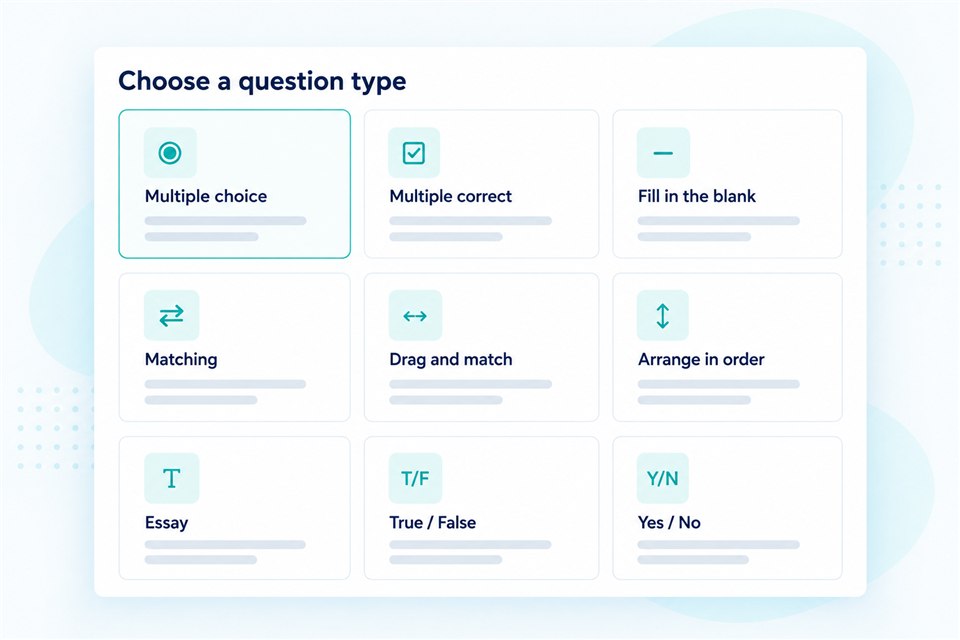
Use objective, multiple-correct, true/false, short-answer and essay questions.
Write questions in the languages your candidates use. This does not automatically translate content or change the interface language.
Upload questions using an Excel template and see which rows need fixing.
Download your question bank as an Excel file.
Let candidates write, compile, run and submit code in supported languages. Evaluators review the work and award marks.
Configure additional exam time where needed.
Set the number of attempts, or allow another attempt only below a chosen score.
Add formatted text, images, equations, tables, audio, video and explanations.
Choose an exact set or generate validated papers from eligible question pools.
Configure pass marks, positive marks, negative marking and section rules.
Choose IIT/JEE, CAT, GATE, SSC/Railways, banking, medical, nursing, abacus or default layouts.
Set exam dates and times in your institute’s time zone. Candidates see the same exam window in their own local time, including daylight-saving changes.
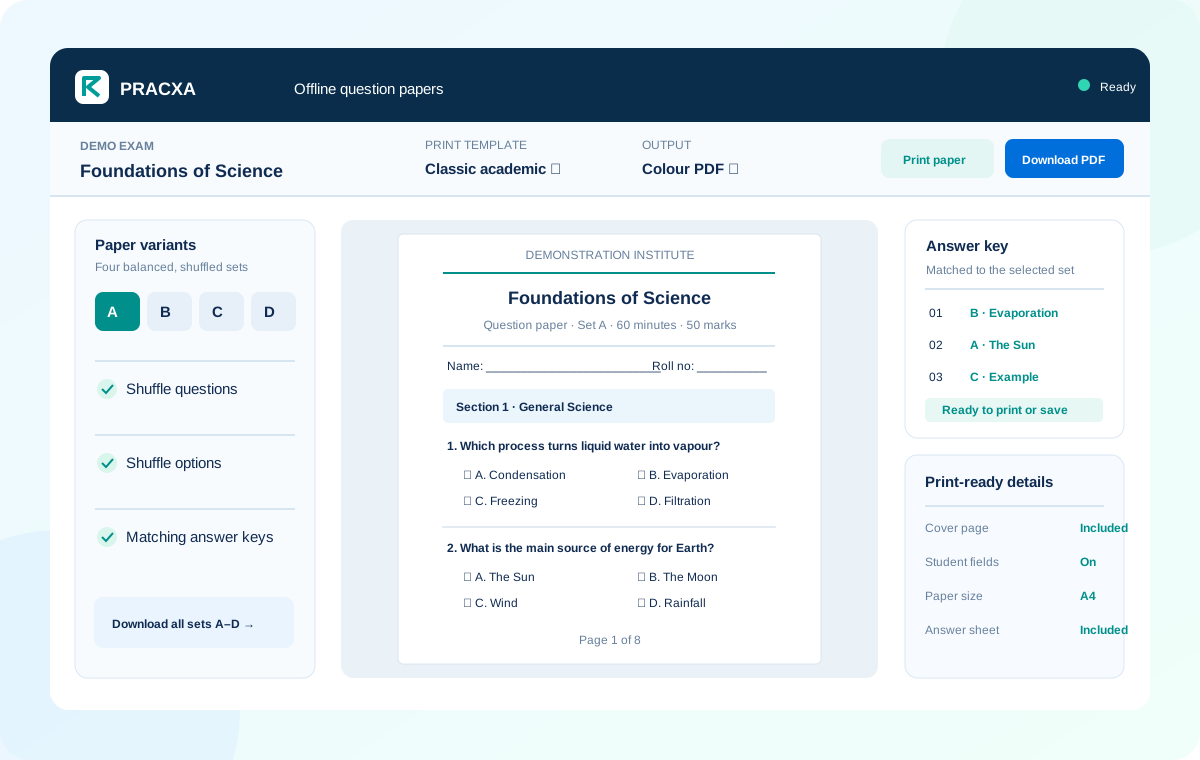
Generate alternate question-paper sets with matching answer keys, then download PDFs or print for offline exams.
Candidates and delivery
Control registration, assignment and candidate access without moving information between disconnected tools.
Assign learners by class, batch, programme, department or recruitment stage.
Add candidates in bulk using an Excel template. Review row errors instead of entering every candidate by hand.
Candidates can choose their time zone. If they leave it blank, Pracxa uses the institute’s time zone. Everyone joins the same scheduled exam window.
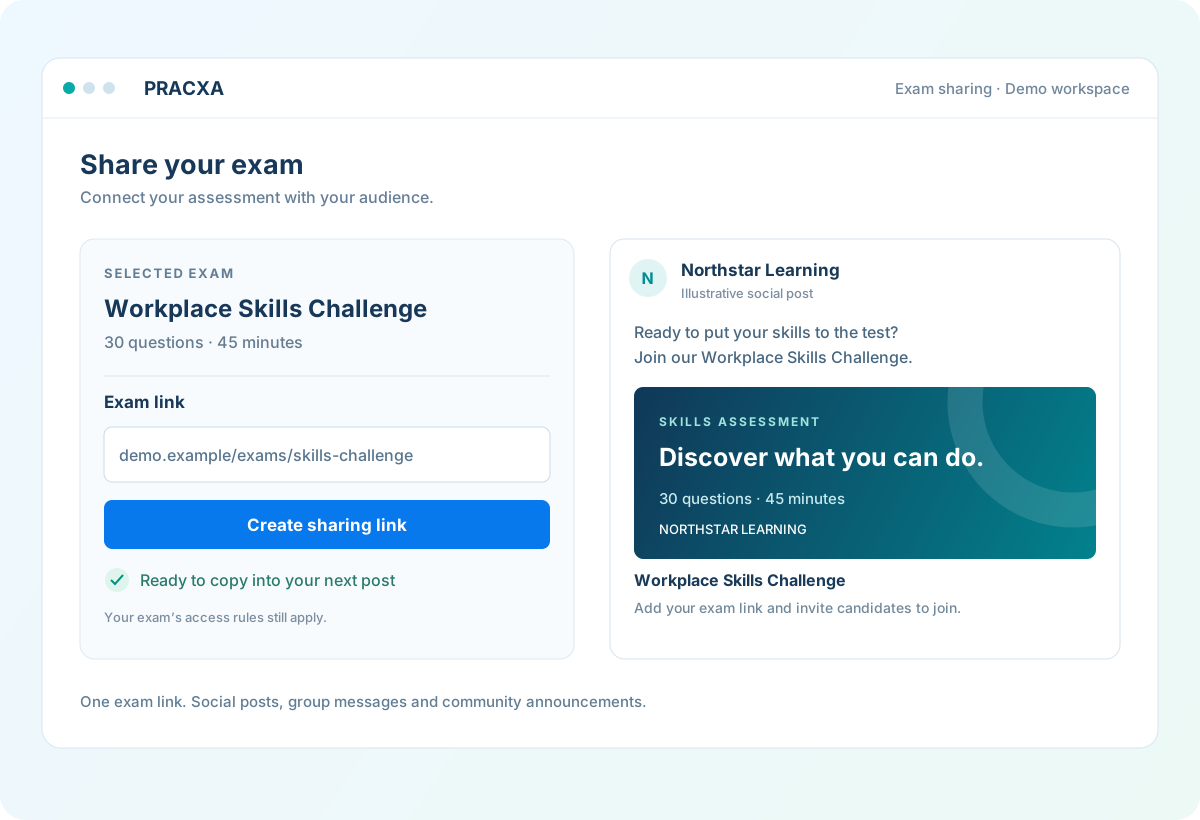
Create a shareable exam link and use it in social posts, messages and candidate announcements.
Invite one or many candidates with registration codes and track joining status.
Enable institute-specific registration only when your administrator allows it.
Combine exams into structured programmes for selected groups or public purchase.
Offer exams and test series through the marketplace with settlement visibility.
Show rules, security expectations and required acknowledgement before start.
Let candidates discover, prepare and take supported assessments across screen sizes.
Preserve answers and support controlled continuation after genuine interruptions.
Monitoring and security
Monitor active exams, review evidence and respond consistently when an attempt needs attention.
Follow not-started, active, paused, submitted, disconnected and locked attempts.
Configure live camera, screen sharing, scheduled captures and recorded evidence.
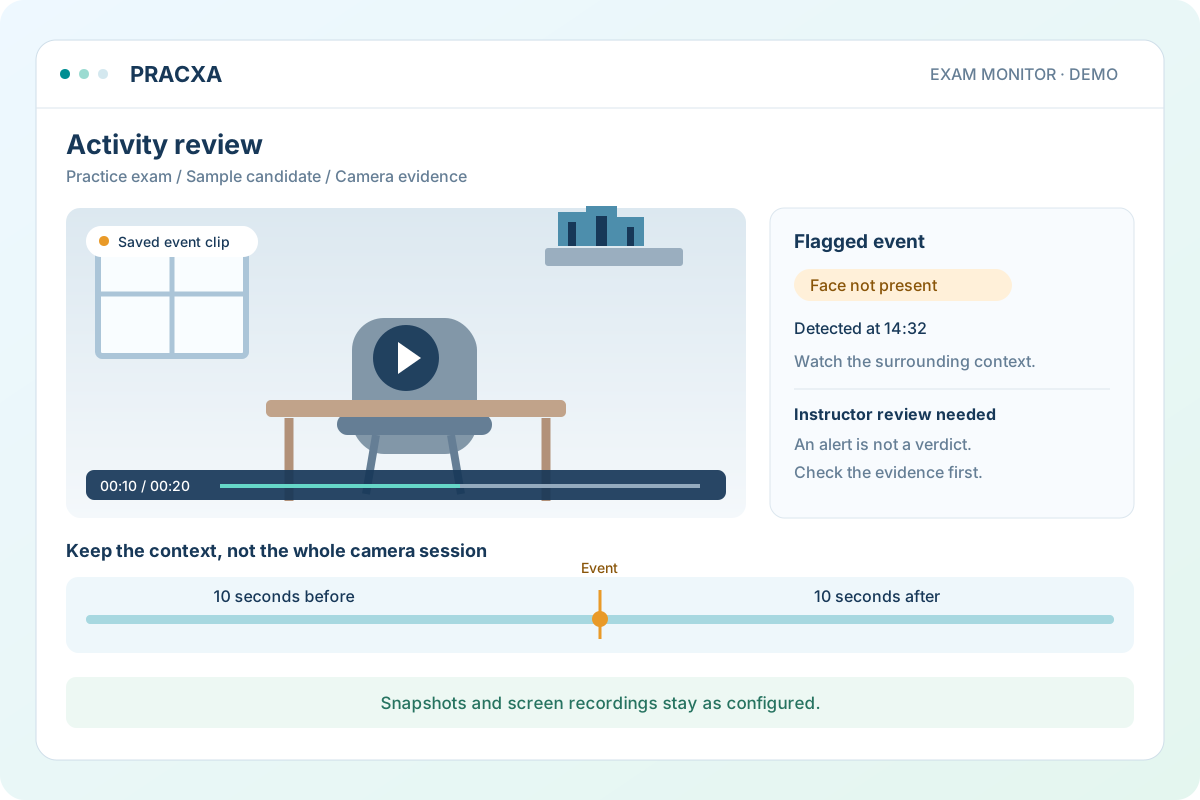
Flag camera and microphone events for review and save camera clips around detected activity instead of the whole session.
When enabled, candidates record their surroundings and wait for instructor approval before starting the exam.
Restrict or record configured clipboard actions within the browser exam experience.
Record focus changes and apply warning, pause or termination rules.
Review connection details and constrain access when an authorised network is required.
Prevent the same attempt from being active in multiple signed-in sessions.
Review events and evidence together before making an integrity decision.
Trace pause, resume, lock and administrative recovery actions.
Keep saved answers and control when an interrupted exam can resume under your exam rules.
Practice and recognition
Turn assessment content into useful practice, feedback, progress and verifiable recognition.
Let candidates select eligible subjects, difficulty, question count and timer options.
Support quick revision as well as realistic exam preparation.
Guide learners toward weaker areas using their recent performance.
Show average, best score, completion and attempt history over time.
Give learners guidance, practice targets and a review date. Add follow-up notes as they progress.
Let candidates revisit their completed answers when your exam review settings allow it.
Collect structured exam ratings and allow institute follow-up where appropriate.
Create branded certificate templates with dynamic fields and verification IDs.
Provide a public verification route for issued credentials.
Keep candidates informed about relevant exam, result and account events.
Institute operations
Give administrators and instructors the controls they need without exposing unrelated areas.
Control assessment, candidate, report and payment access independently.
Send email and SMS using platform-managed gateways and shared templates.
Send email reminders before scheduled exams when reminders and email delivery are enabled.
Track included credits, additional purchases, reservations and usage history.
Review subscription status, payment orders and verified billing outcomes.
Maintain marketplace payment information and review settlement history.
Present Pracxa consistently across institute and candidate experiences.
Give candidates and instructors an integrated route to request help.
Use administration, reports and monitoring on supported desktop, tablet and mobile layouts.
Reporting and insight
Move from overall scores to the exam, group, section, question and candidate detail your team needs.
See exam activity, payment trends, subscriptions and items requiring attention.
Review participation, scores, status and recent attempts by assessment.
See candidate start and finish times in your institute’s time zone, even when candidates take exams from another country.
Choose whether candidates see a score, a detailed report or results only after the exam window closes.
Review written and coding answers, add feedback and award marks before treating results as final.
Compare performance across curriculum areas, classes, batches and departments.
Follow individual outcomes, history and progress with scoped access.
Identify question difficulty, response patterns and content that needs review.
Surface candidates who may benefit from timely academic follow-up.
Link actionable counts directly to pending human-review workflows.
Generate formatted reports and larger exports for operational teams.
Exam creation
Create from a reusable question bank, arrange sections and directions, configure marking and publish on your schedule.
Candidate exam screens
Prepare candidates with IIT/JEE, CAT, GATE and other exam layouts. Choose a default for your institute or select a screen when creating an exam.
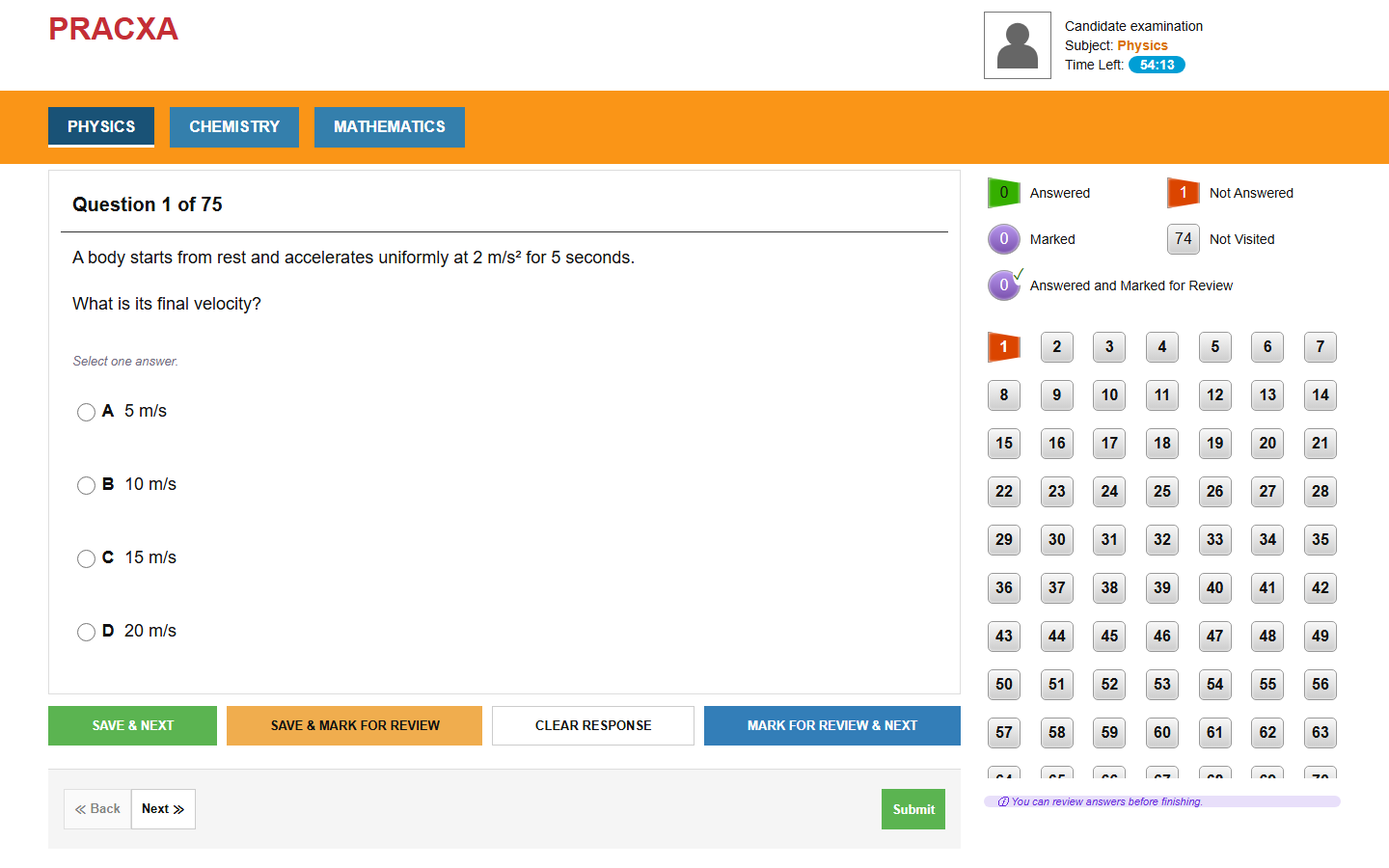
Subject tabs with save, next and review controls.
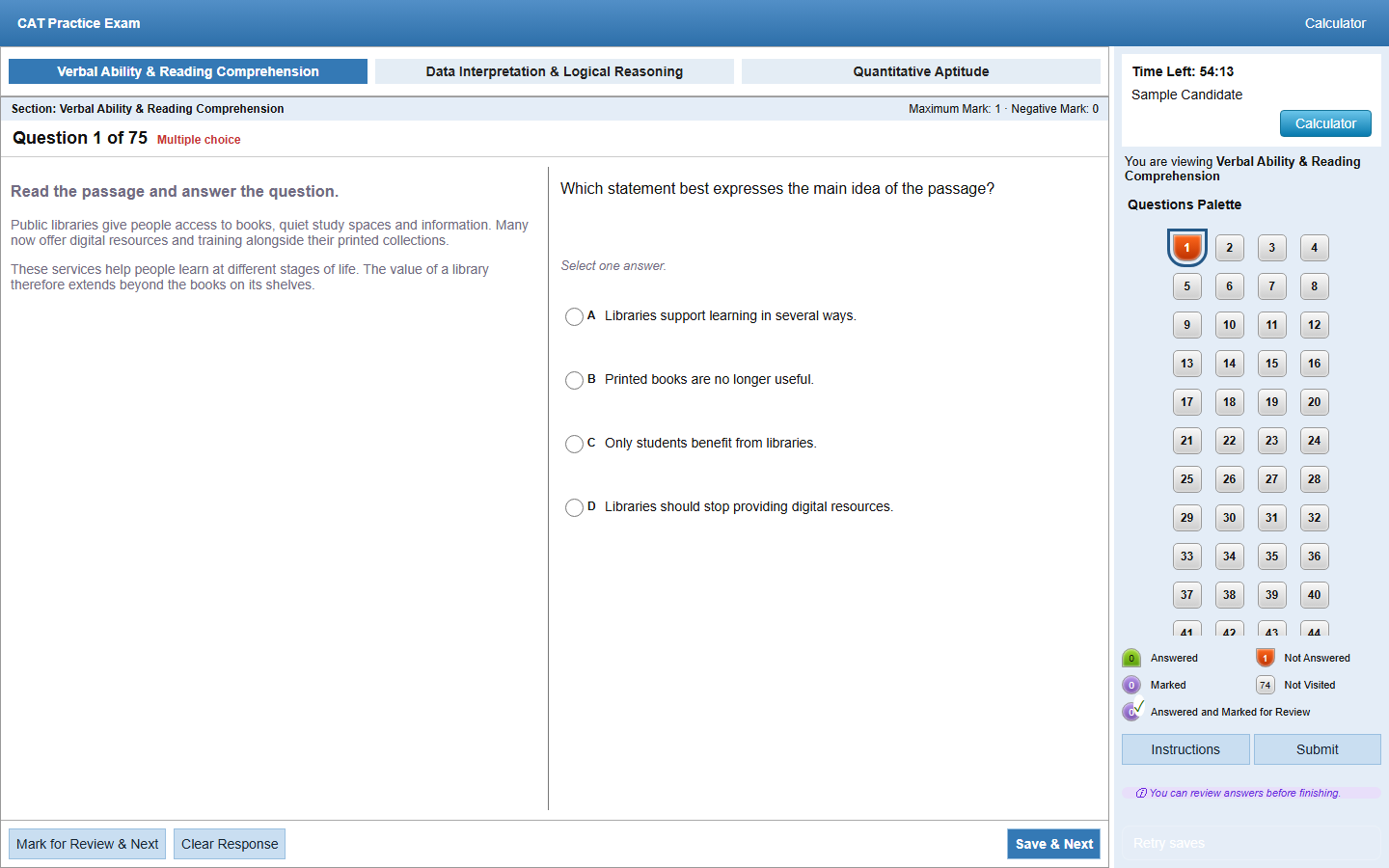
Passage and question views, a question palette and an on-screen calculator.
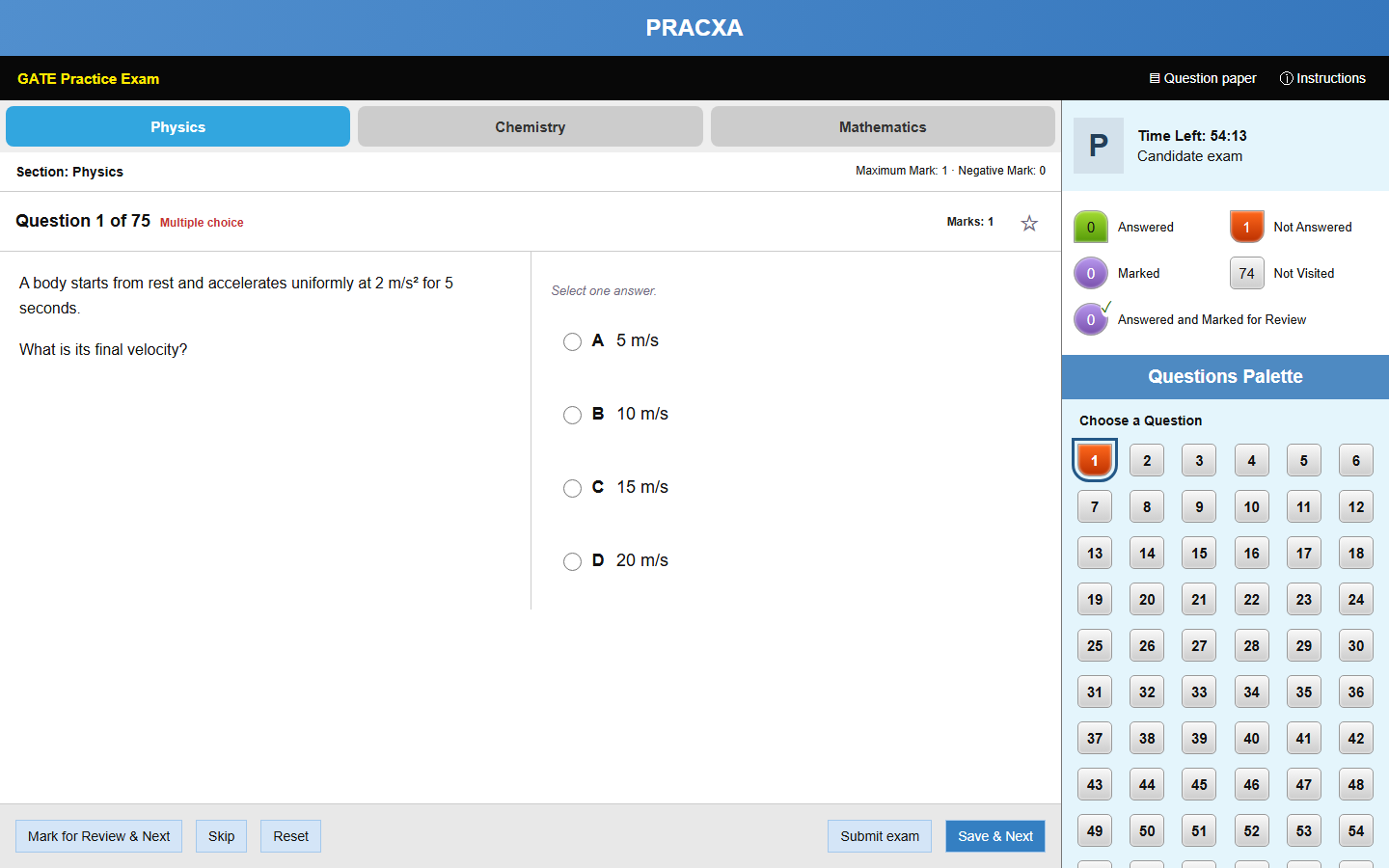
Section navigation, a question palette and clear answer-status indicators.
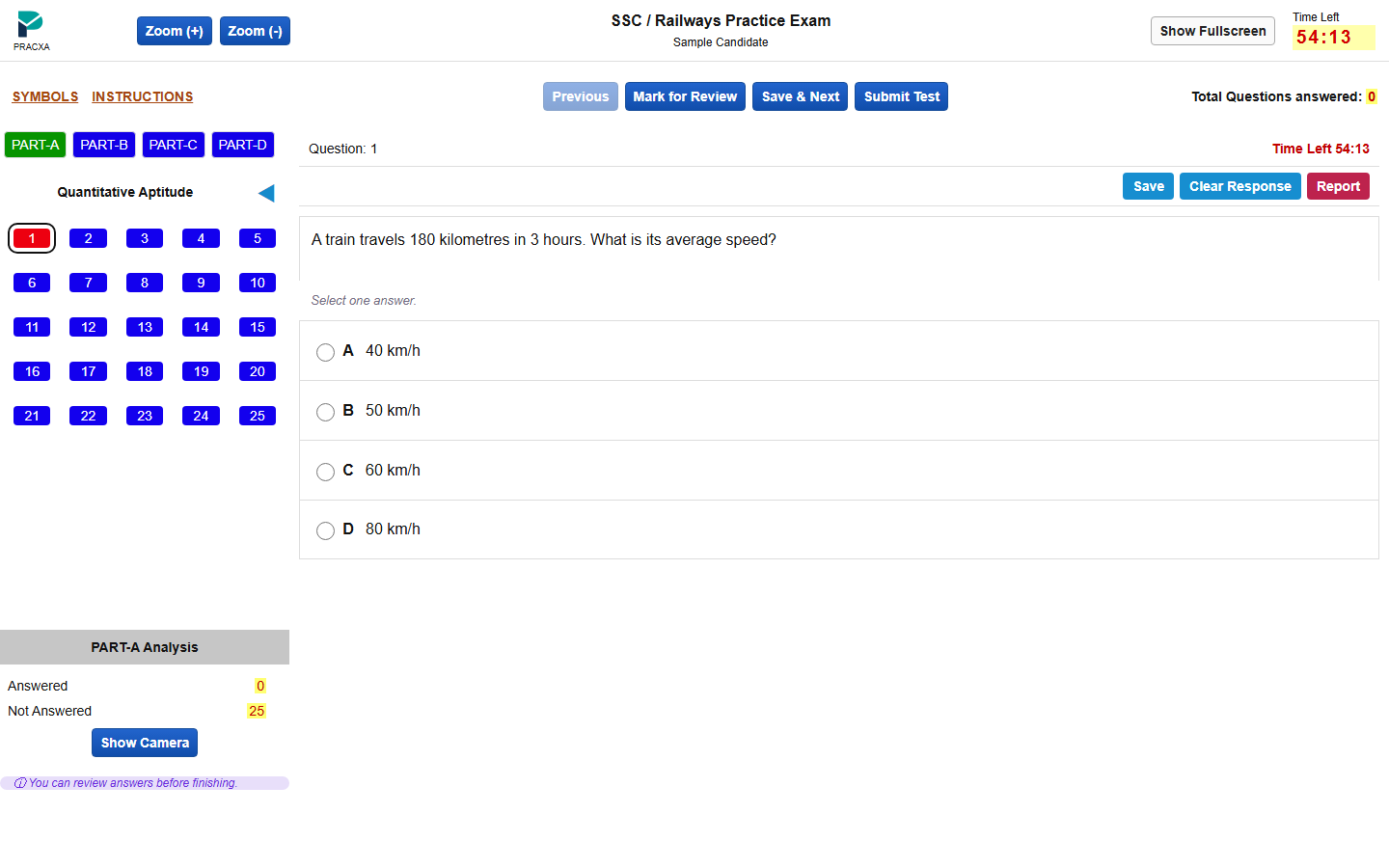
A left-side question palette, part-wise navigation and compact controls.
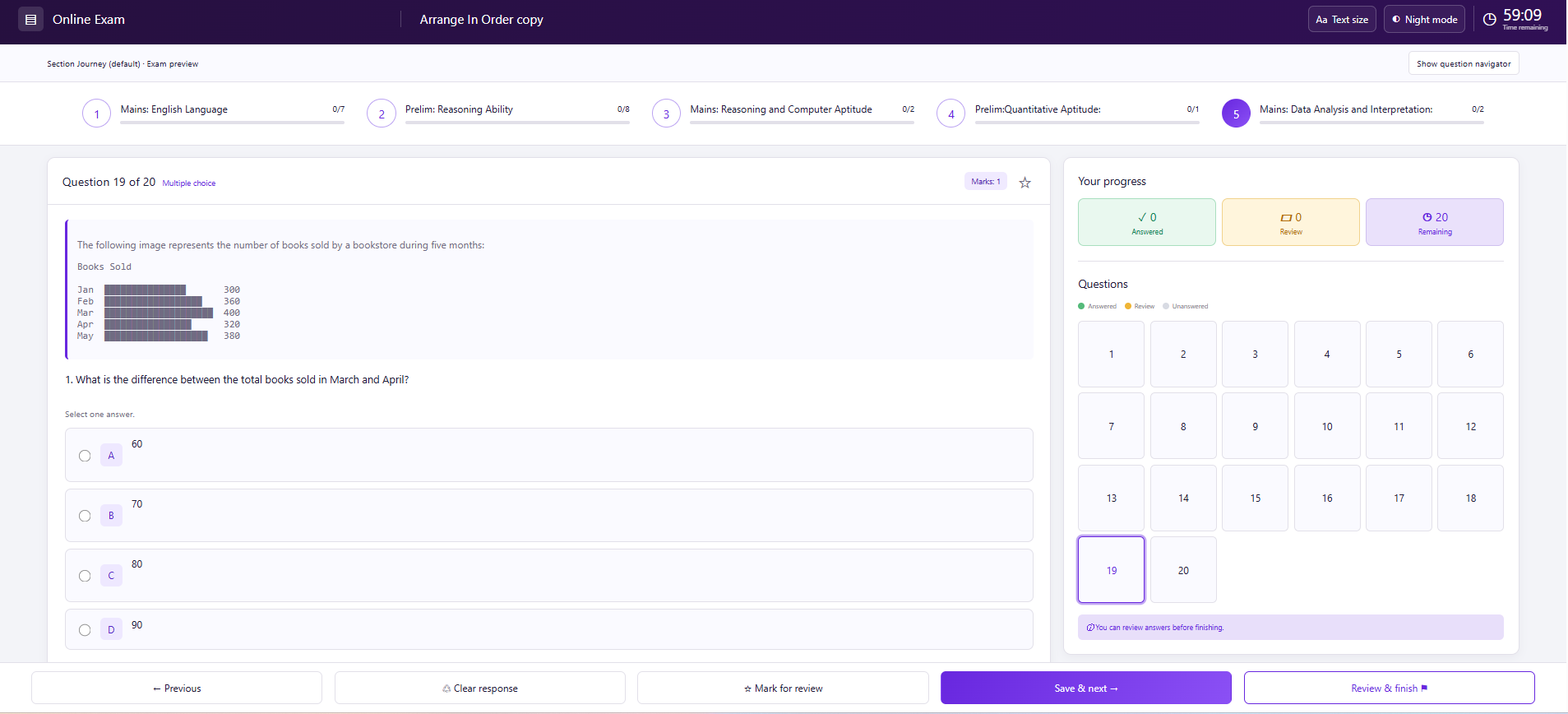
A clear, modern layout for everyday assessments.
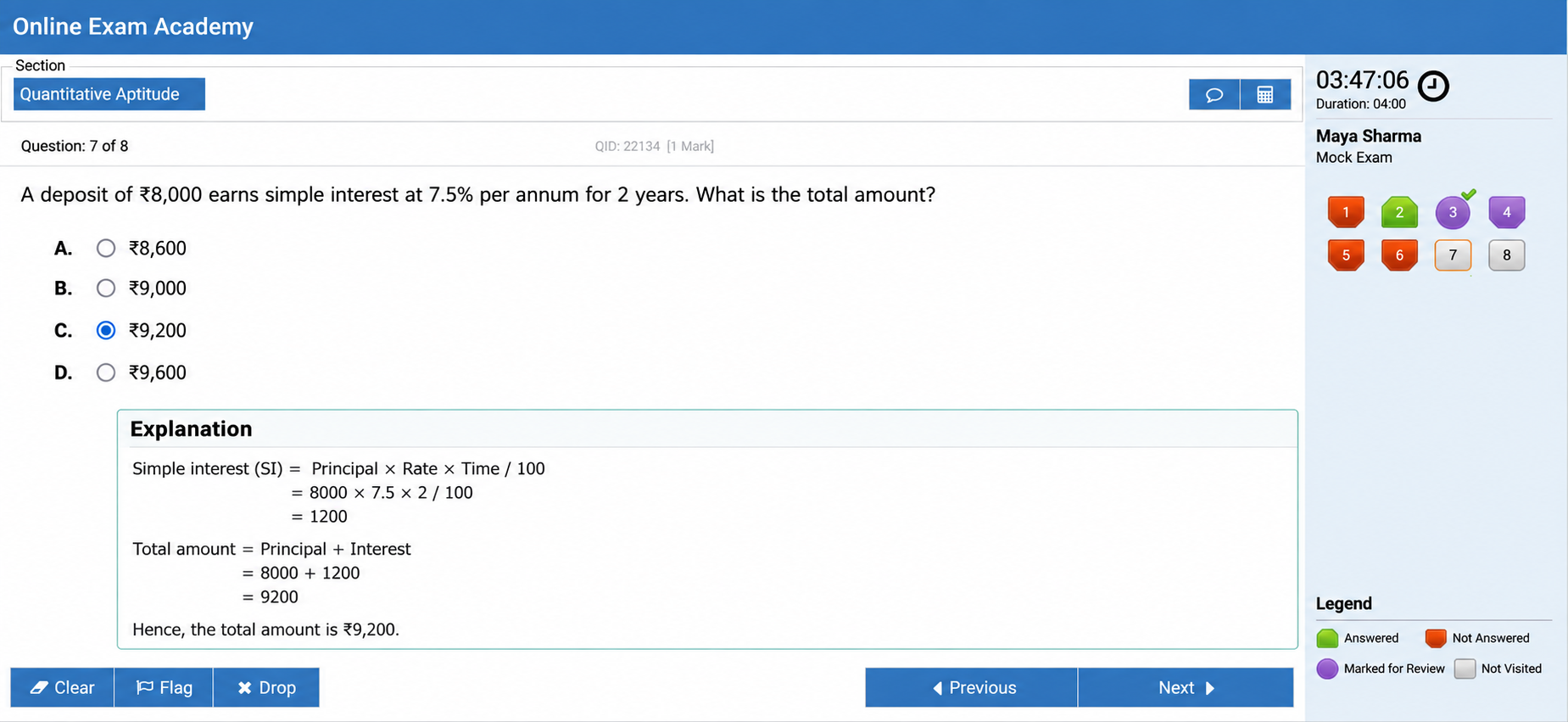
Section-based navigation for banking practice exams.
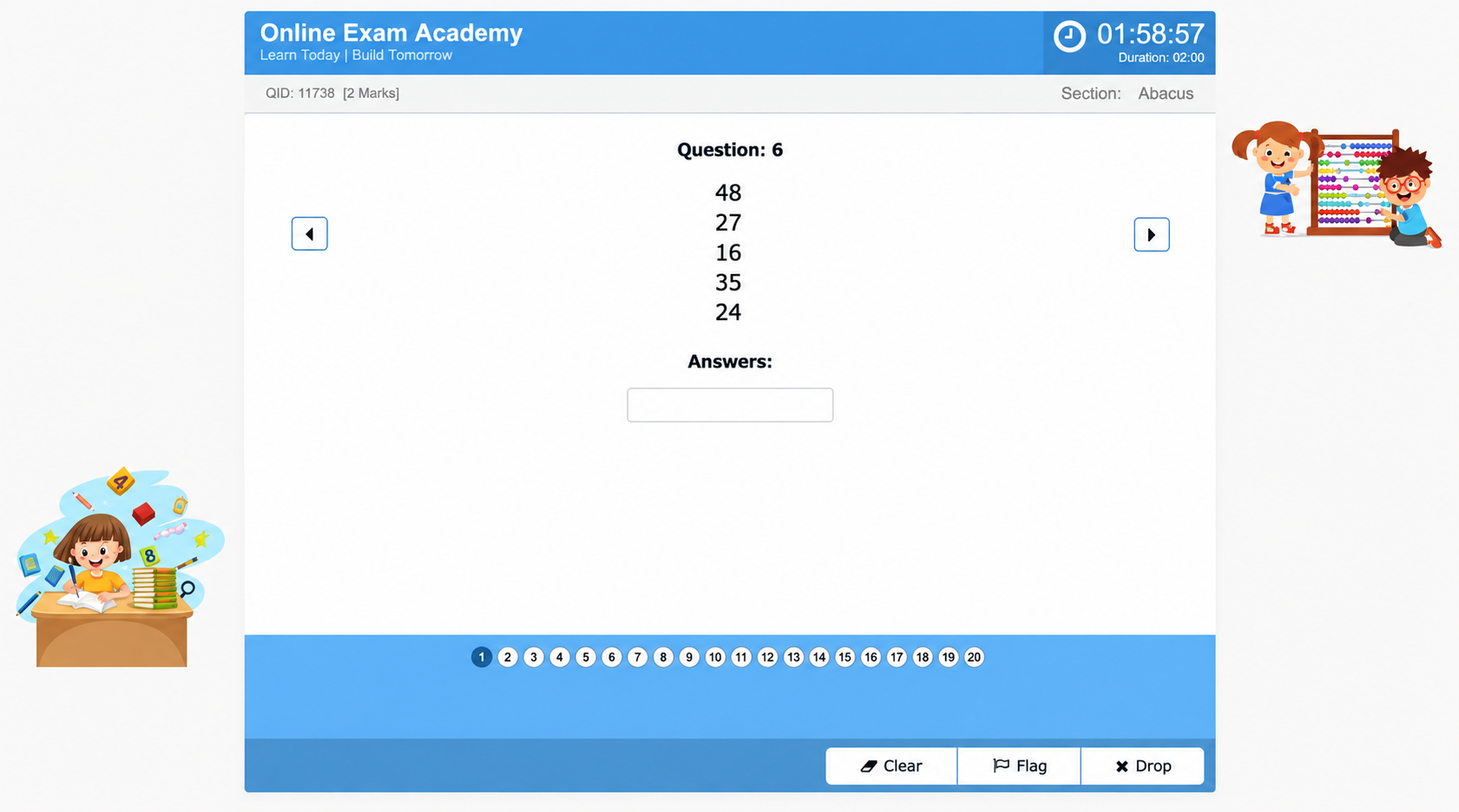
A focused screen for arithmetic practice.
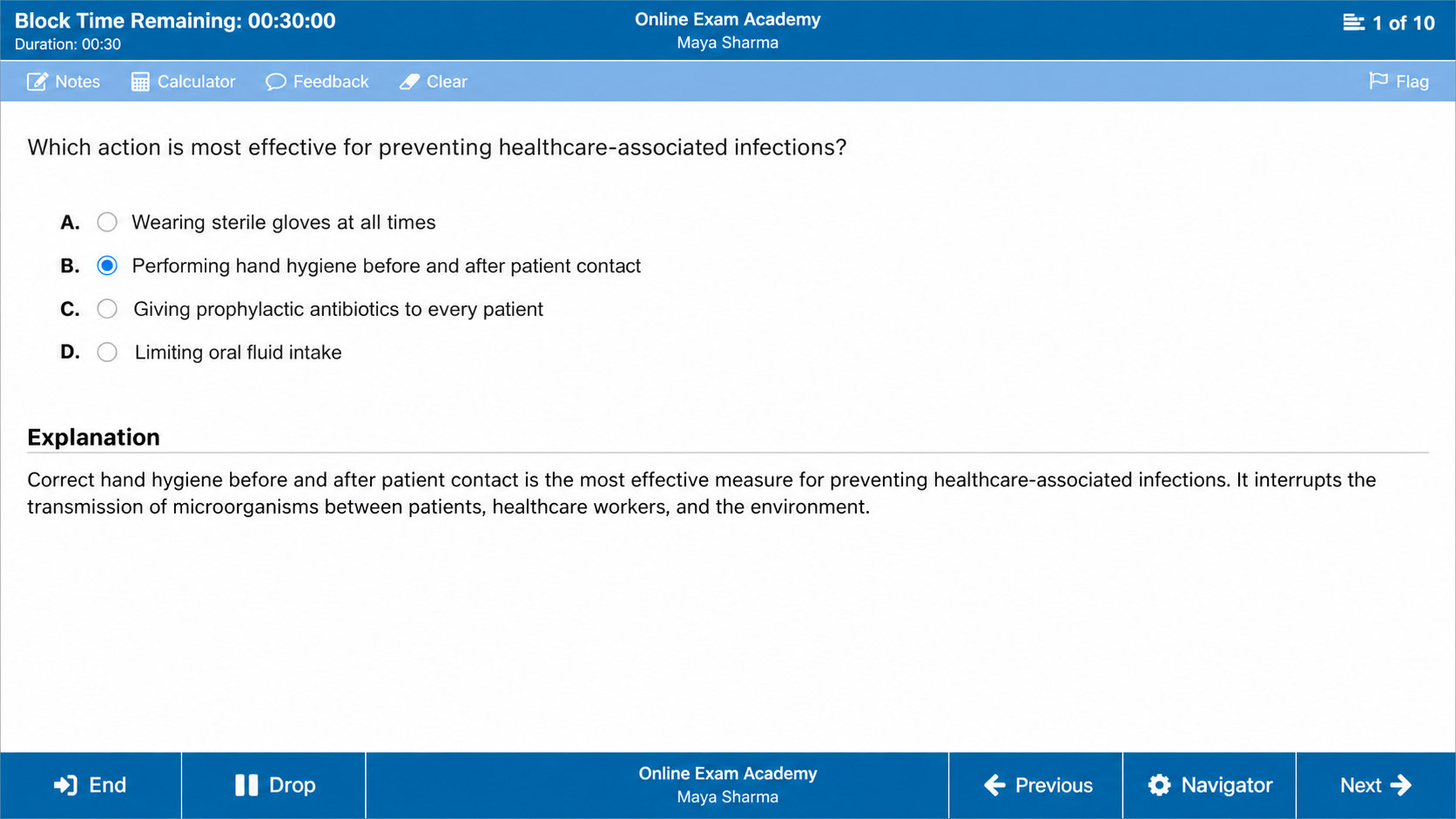
A dedicated layout for nursing assessments.
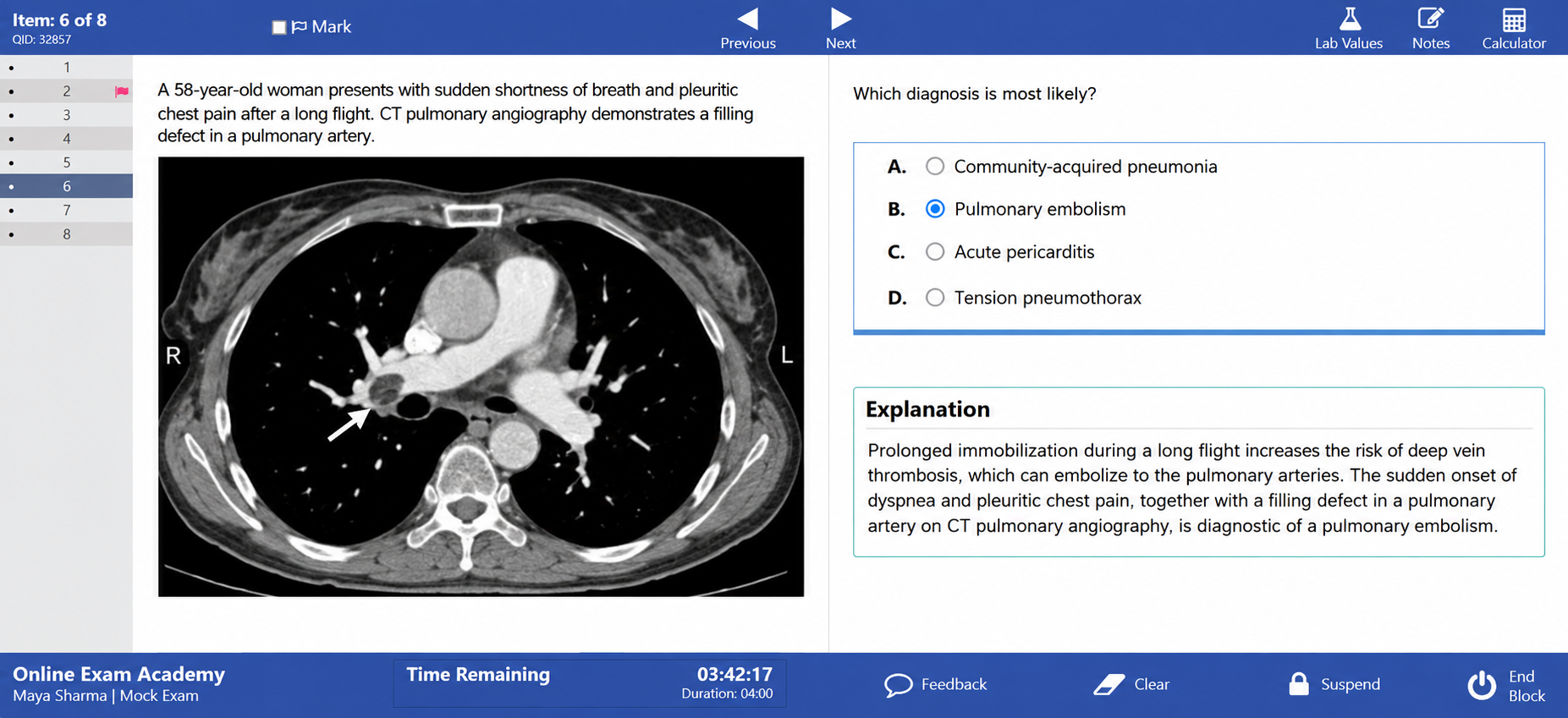
A layout suited to case-based medical questions.
Select a thumbnail to see the full-size preview. These are Pracxa practice layouts, not official exam-provider screens.
Print exams for offline delivery
Create multiple versions of an exam, preview each paper, and download PDFs to conduct assessments offline. Matching answer keys keep marking aligned with every set.
Share exams on social media
Create a shareable link for your exam and bring it to the channels your candidates already use. Add it to a social post, a community announcement or a direct message.
Real-time exam monitoring
Keep the live exam under control from one operational view, with five-second dashboard updates and live video when proctoring is enabled.
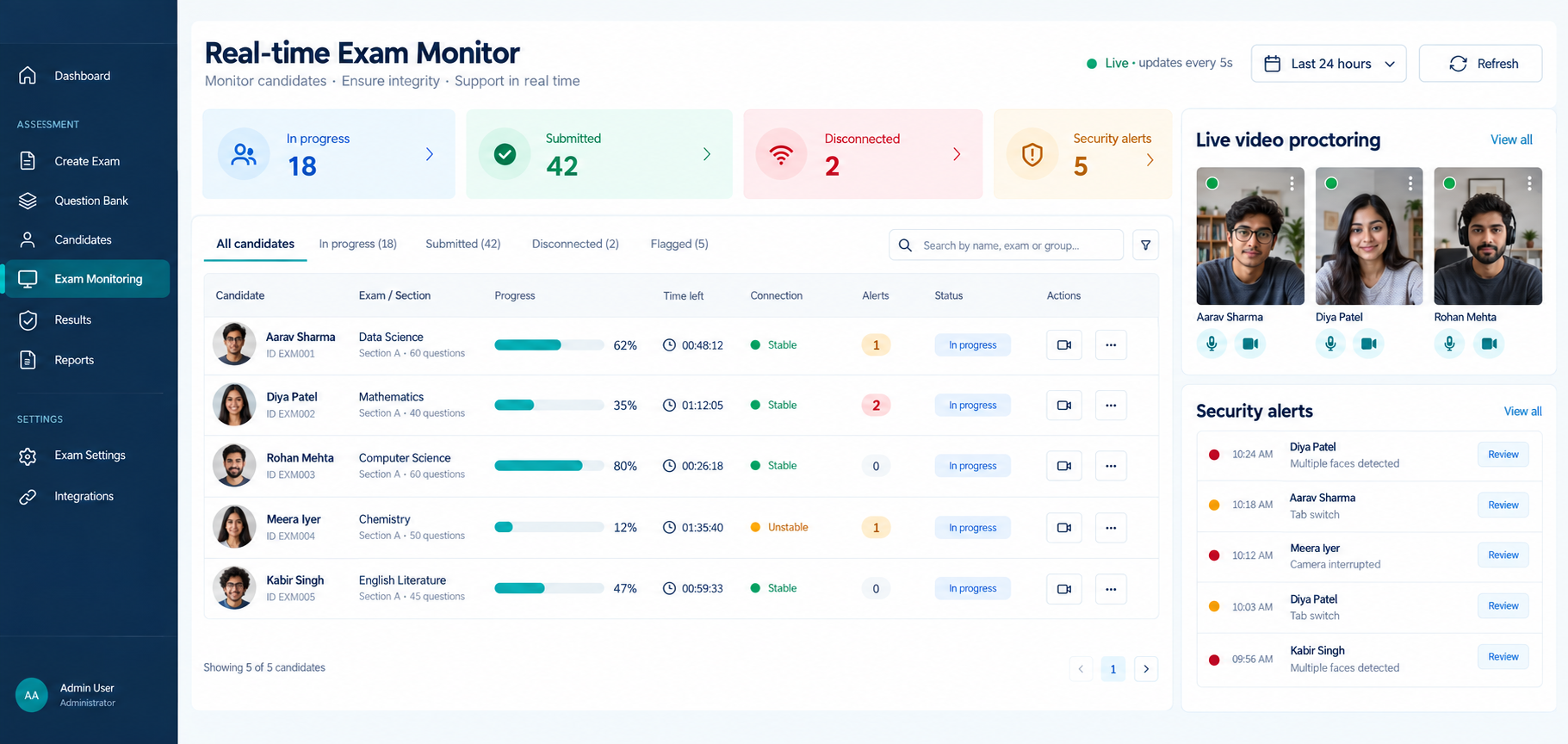
View configured candidate camera streams and open an individual feed when an attempt needs attention.
Track answered questions, completion percentage, time remaining and submission status.
Review tab switches, camera interruptions, multiple-face events and other configured signals.
Identify stable, unstable and disconnected candidates quickly and support controlled recovery.
Suspicious activity capture
Save camera clips around detected activity instead of storing the entire camera recording. Each clip aims to include 10 seconds before and 10 seconds after the event, so instructors can see the context.
An alert is a reason to review, not proof of cheating. Background speech and poor lighting can trigger alerts. Clips near the start or end of an attempt may be shorter.
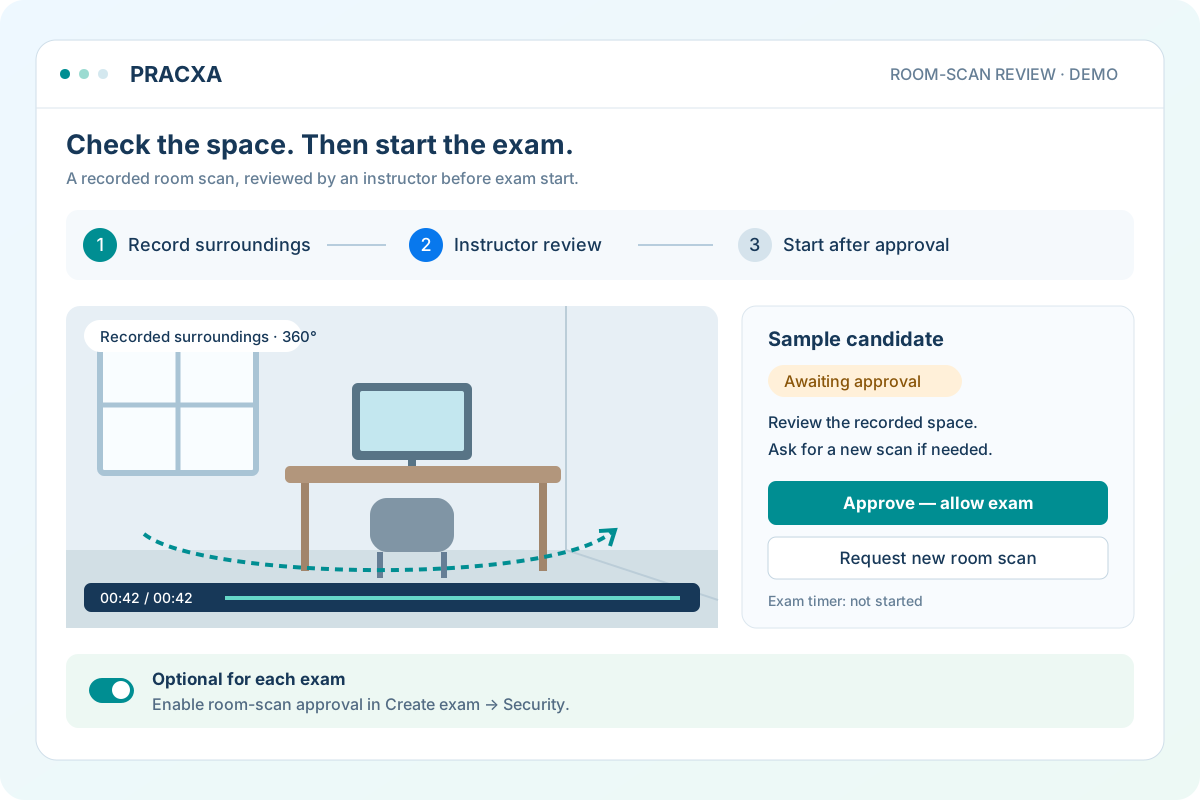
360° room scan and instructor approval
Enable room-scan approval in the exam’s Security settings when your assessment needs it. Candidates record a guided view of their surroundings, preview the video and send it for review.
This is an optional, instructor-reviewed check—not an automatic check that every part of the room is visible. Exam availability rules still apply.
Explore online proctoringCustom certificate designer
Turn achievements into professional, verifiable credentials with reusable templates and simple visual controls.
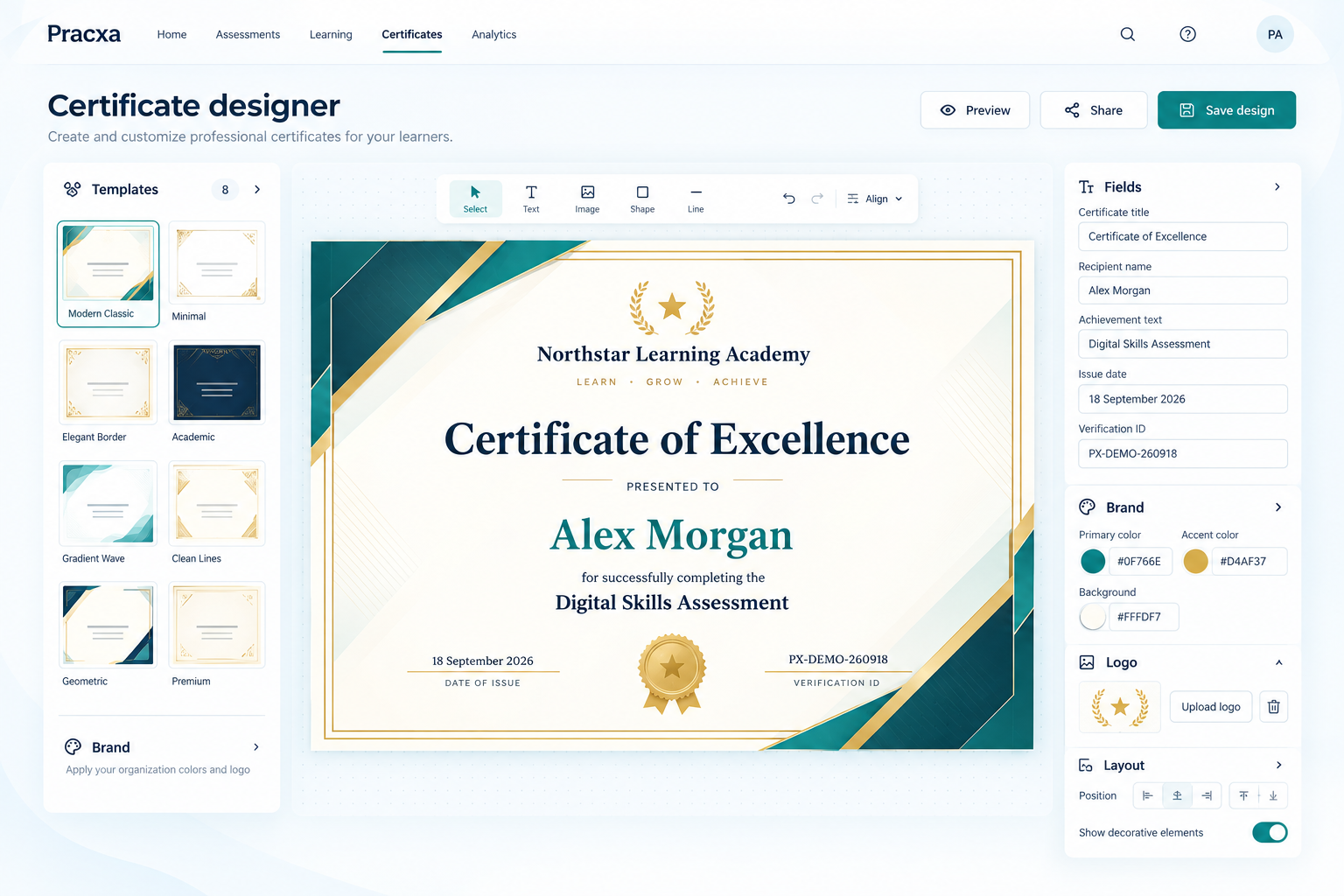
Choose a template and arrange titles, recipient details, dates, signatures and verification fields visually.
Apply organisation colors, logos, typography and decorative styles across reusable certificate designs.
Connect a design to an eligible exam or test series and make earned certificates available to candidates.
Include a unique certificate identifier so recipients and third parties can confirm authenticity online.
One connected operation
Groups, invitations, self-registration controls and status tracking.
Reusable certificate designs, verification and candidate downloads.
Sell exams and test series with seller onboarding and settlement history.
Transparent plan allowances, usage history and additional credit purchases.
See the complete workflow